
What is FTP (File Transfer Protocol)? A Complete 2026 Guide to How It Works, Types, Benefits, Software, and Best Practices
2 minggu ago

FTP, or File Transfer Protocol, is one of the oldest and most fundamental protocols on the internet. Since its creation in 1971, FTP has been the standard method for transferring files between computers over a network — from a client to a server and vice versa.
In simple terms, FTP allows users to upload, download, and manage files on a remote server. It remains widely used today for website maintenance, backing up data, sharing large files, and managing content on web hosting servers.
However, in 2026, plain FTP is considered outdated and insecure for most use cases due to its lack of encryption. Modern alternatives like SFTP (SSH File Transfer Protocol) and FTPS (FTP Secure) have largely replaced traditional FTP in professional environments.
This comprehensive guide explains what FTP is, how it works, its different types and modes, major benefits and drawbacks, the best FTP software in 2026, and why you should consider more secure alternatives for your file transfers.
FTP is an application-layer protocol that enables the transfer of files between a client and a server over a TCP/IP network. It uses two separate channels:
- Control Channel (usually port 21) — for sending commands and responses
- Data Channel — for actually transferring the files
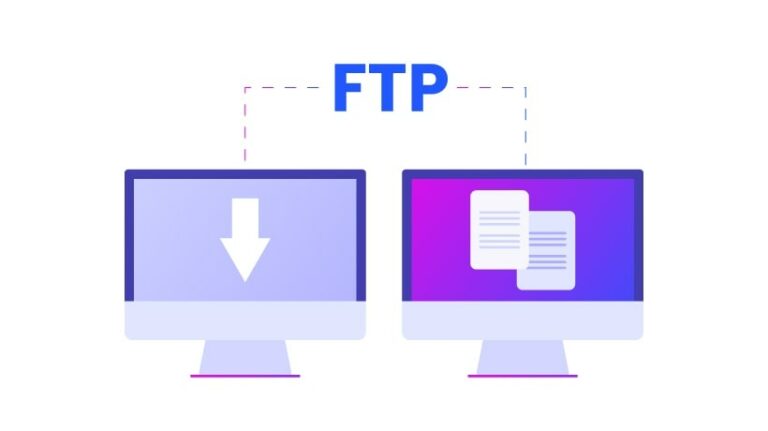
Basic Workflow:
- The client connects to the server and authenticates (username + password).
- The client sends commands (list files, upload, download, delete, etc.).
- The server responds and transfers data accordingly.
FTP operates in two modes:
- Active Mode: The server initiates the data connection back to the client.
- Passive Mode: The client initiates the data connection (more firewall-friendly and commonly used today).
While FTP is simple and effective for moving large files, it transmits data (including usernames and passwords) in plain text, making it vulnerable to interception.
1. Traditional FTP The original protocol. Fast but insecure. Not recommended for sensitive data.
2. FTPS (FTP Secure / FTP over SSL) Adds SSL/TLS encryption to FTP. Two variants exist:
- Explicit FTPS (starts as plain FTP then upgrades)
- Implicit FTPS (always encrypted)
3. SFTP (SSH File Transfer Protocol) Completely different protocol that runs over SSH. Provides strong encryption, authentication, and secure file transfer. Most recommended in 2026.
4. Other Variants
- SCP (Secure Copy Protocol) — simpler SSH-based file copy
- WebDAV — HTTP-based file management
In 2026, security-conscious users and businesses overwhelmingly prefer SFTP or FTPS over plain FTP.
Despite its security limitations, FTP still offers several advantages:
- Simple and straightforward to use
- Fast transfer speeds for large files
- No practical file size limit
- Widely supported by hosting providers
- Good for bulk uploads/downloads
- Easy to automate with scripts
Modern secure variants (SFTP/FTPS) retain these benefits while adding strong encryption and better authentication.
Major limitations of traditional FTP:
- Transmits data in plain text (including credentials)
- Vulnerable to man-in-the-middle attacks
- Poor firewall/NAT compatibility in Active Mode
- No built-in integrity checking in basic implementations
These issues have led to the widespread adoption of encrypted alternatives.
Free / Open Source:
- FileZilla — Still the most popular cross-platform client
- WinSCP — Excellent for Windows users (supports SFTP, SCP, FTPS)
- Cyberduck — User-friendly with cloud storage support
Premium / Advanced:
- ForkLift (macOS)
- Transmit (macOS)
- CuteFTP, SmartFTP (Windows)
Command-Line Tools:
- ftp (basic)
- sftp and scp (secure)
For web-based needs, many hosting control panels (cPanel, Plesk) include built-in FTP managers.
- Always use SFTP or FTPS instead of plain FTP
- Use strong, unique passwords or SSH keys
- Enable two-factor authentication where possible
- Use VPN when transferring sensitive data
- Regularly update your FTP client software
- Limit permissions on server accounts
- Consider managed file transfer (MFT) solutions for businesses
FTP remains a foundational technology for file transfer, but in 2026 its plain form is largely obsolete due to security concerns. Modern secure protocols like SFTP and FTPS provide the same convenience with much stronger protection.
Understanding how FTP works, its benefits and limitations, and choosing the right tools will help you transfer files safely and efficiently. For most users and businesses today, the recommendation is clear: avoid plain FTP and use encrypted alternatives whenever possible.
Stay secure and transfer smart!
FAQ (Frequently Asked Questions)
Q1: What is FTP?
A: FTP (File Transfer Protocol) is a standard network protocol used to transfer files between a client and a server over the internet.
Q2: Is FTP still used in 2026?
A: Yes, but mainly for non-sensitive tasks. Most professionals now use more secure alternatives like SFTP or FTPS.
Q3: Why is FTP considered insecure?
A: Because it transmits data, including usernames and passwords, in plain text without encryption.
Q4: What is the difference between FTP and SFTP?
A: FTP is unencrypted, while SFTP (SSH File Transfer Protocol) uses secure encryption via SSH to protect data during transfer.
Q5: What is FTPS?
A: FTPS is FTP with SSL/TLS encryption added, making it more secure than traditional FTP.
Q6: Which is better: SFTP or FTPS?
A: SFTP is generally preferred in 2026 because it is simpler to configure, more secure, and firewall-friendly.
Q7: What are FTP active and passive modes?
A: Active mode lets the server initiate the data connection, while passive mode lets the client initiate it (more commonly used today).
Q8: What software can I use for FTP?
A: Popular tools include FileZilla, WinSCP, and Cyberduck.
Q9: Can FTP transfer large files?
A: Yes, FTP is well-suited for transferring large files with no strict size limitations.
Q10: Should I still use plain FTP?
A: It’s not recommended. You should use SFTP or FTPS for secure file transfers, especially for sensitive data.
Tinggalkan Balasan